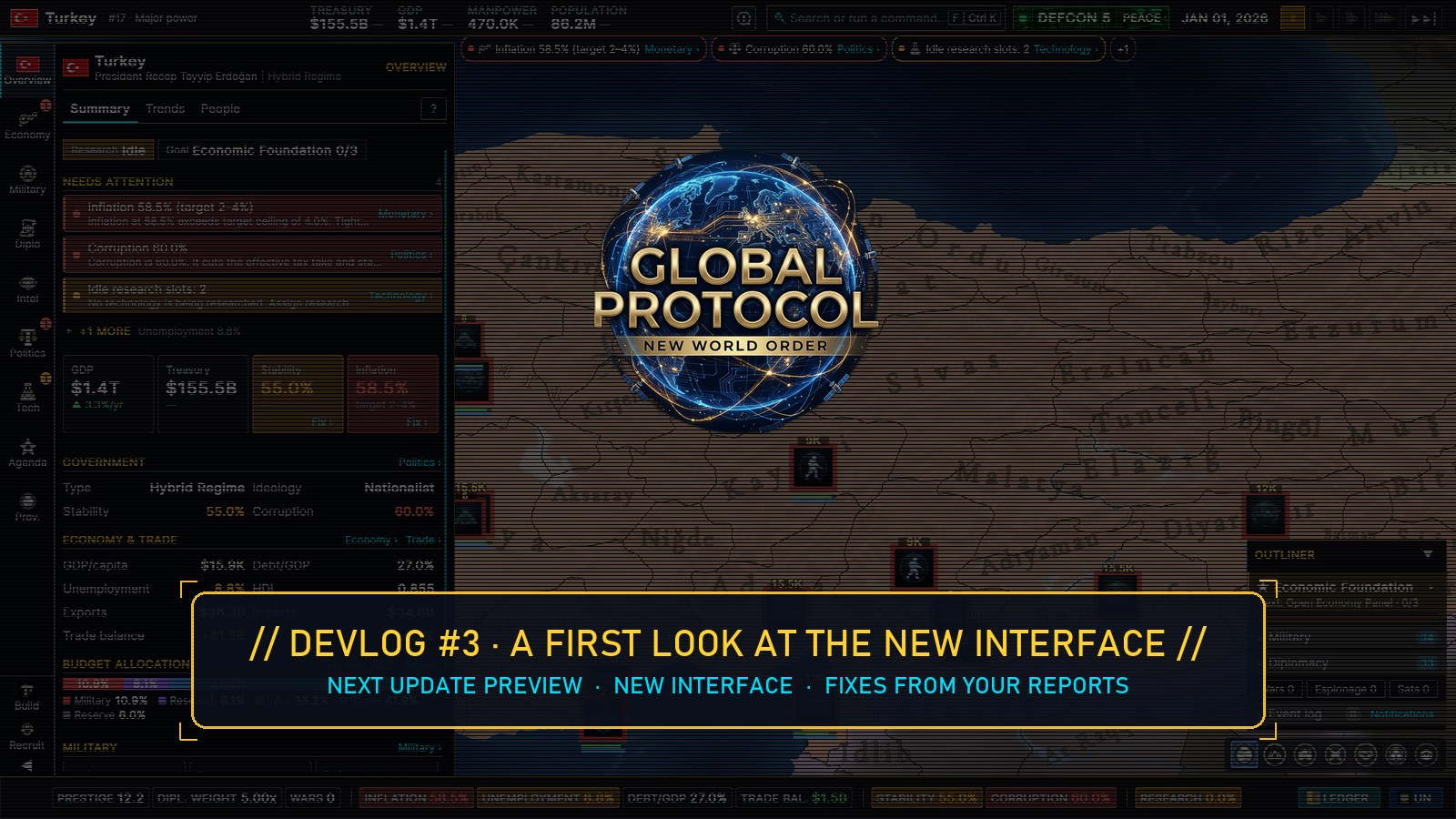
Hello, world leaders.
In our first devlog we showed you how Global Protocol simulates the whole planet every in-game day. In the second, how its eight billion people are born, move, vote and grow old. All of that only matters if you can see it and act on it — and that is exactly where many of you told us the game gets in the way: the interface is cluttered and hard to read.
We agree. So we have been rebuilding the interface from the ground up, and this devlog is a first look at it. It arrives with the next update, together with a long list of fixes from your reports.
One honest note before we start: the new interface is still in progress. Every screenshot below comes from the current development build, but details can still change before it ships.
What was wrong
Before drawing anything new, we took screenshots of every screen in the game and wrote down what made each one hard to read. The list was long:
- Text was small and dim. Many labels were 9–10 px and grey.
- Every value was the same cyan. 58.5 % inflation looked exactly like healthy 3.3 % growth.
- Navigation gave no signal. A grid of twelve tab buttons took up space and never told you where to look.
- Actions looked disabled, and scrolled away with the content.
- The province window covered half the screen, so you couldn’t click around the map while reading it.
How we rebuilt it
From those screenshots we mapped out what every screen shows and where each value comes from. Then we designed a new layout — where each piece of information lives and how you get to it — and drew every page as a mockup before writing any code.
Then we built it, page by page, from one shared set of building blocks: the same tiles, rows, tabs, sliders, colours and buttons everywhere. When one of them improves, every page that uses it improves too.
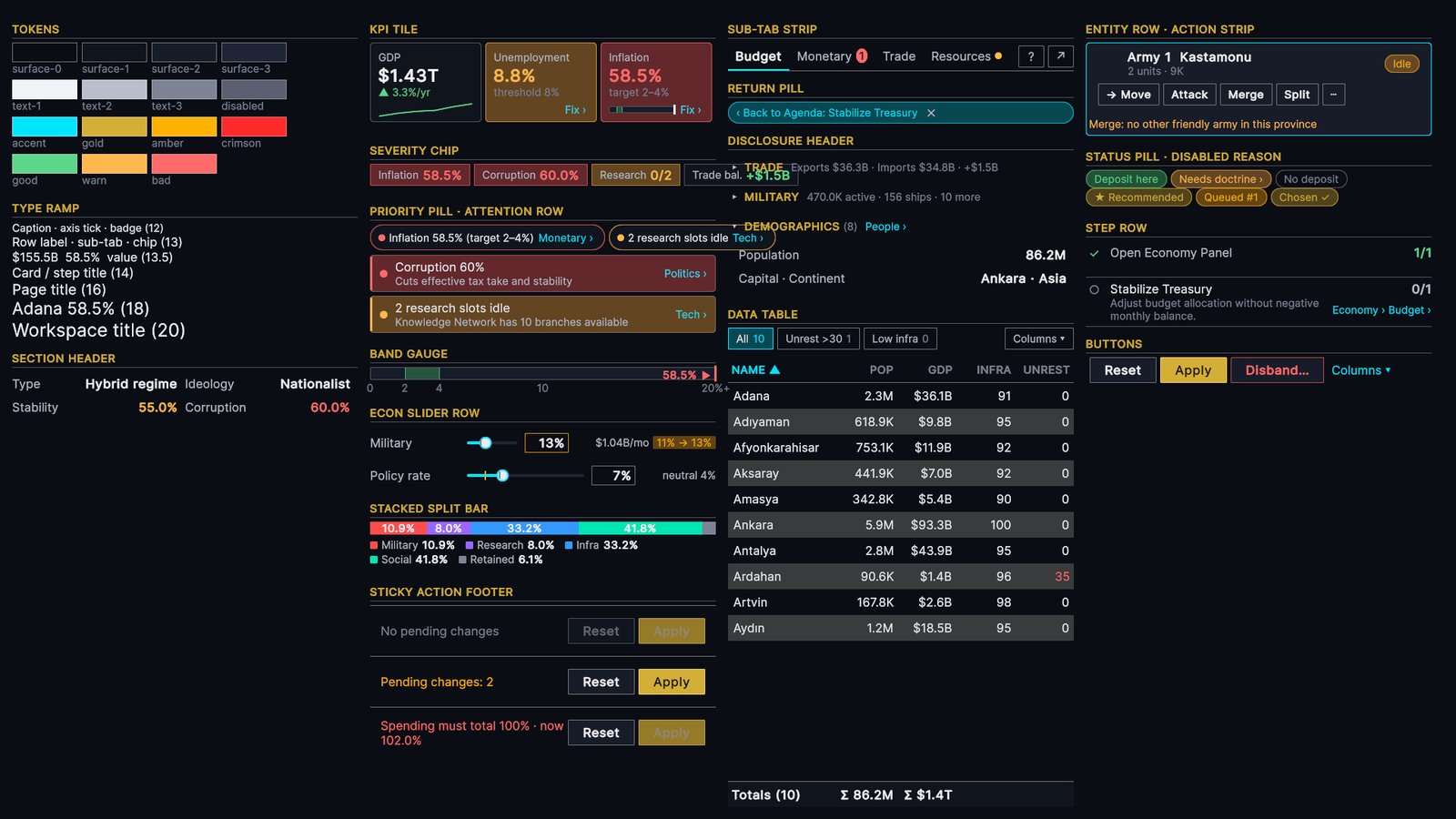
After every step, an automated tour opens the interface in the running game and saves a screenshot of every page and state — over 70 of them — so we can review the result side by side with the mockups. That tour took every screenshot in this devlog.
A cleaner screen usually means something had to go, so we kept a list: 110 values, charts and controls that the new layout moves or folds away. An automated test won’t let an old screen be retired while any of them still has no place in the new interface.
One screen, one layout
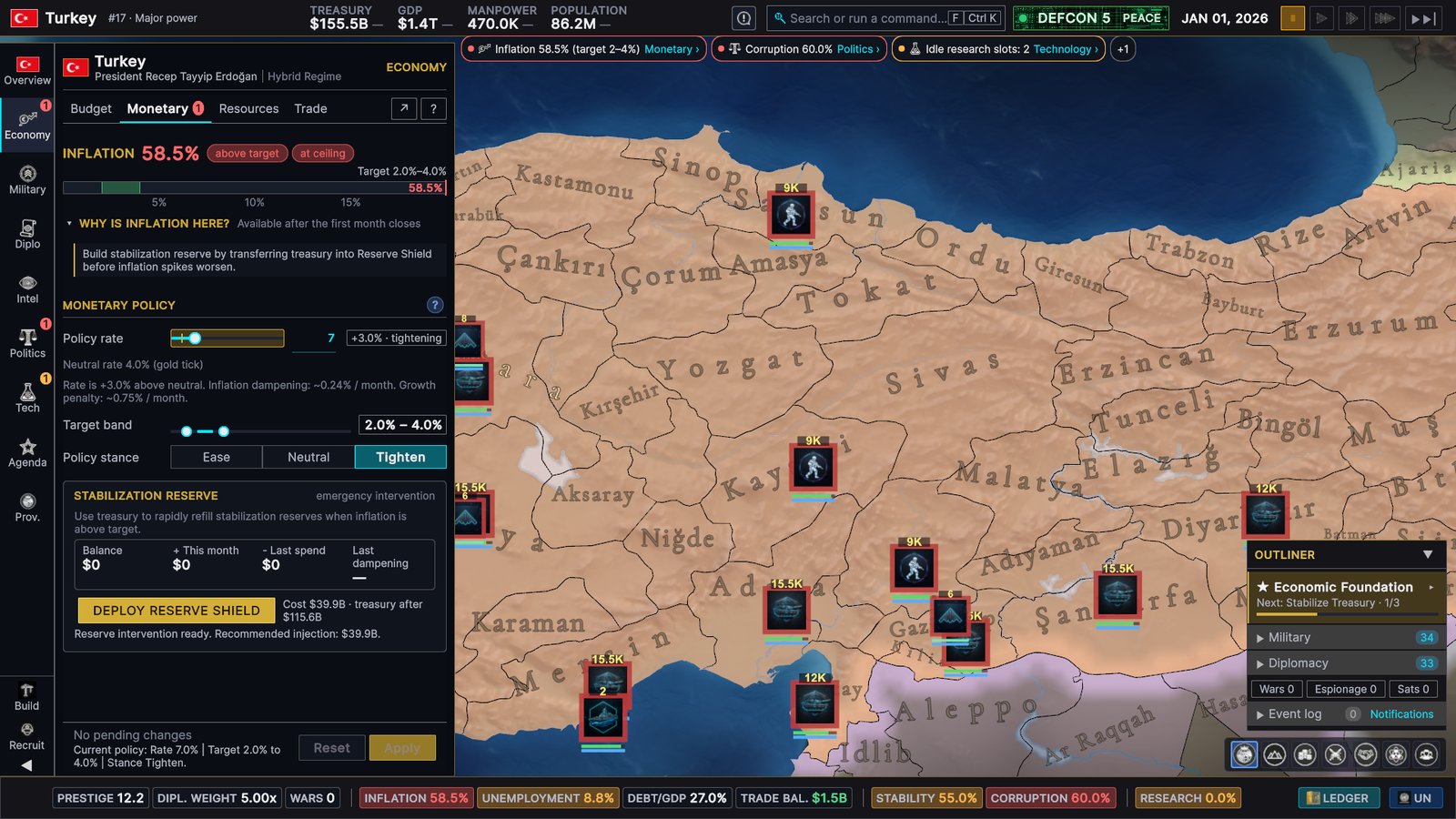
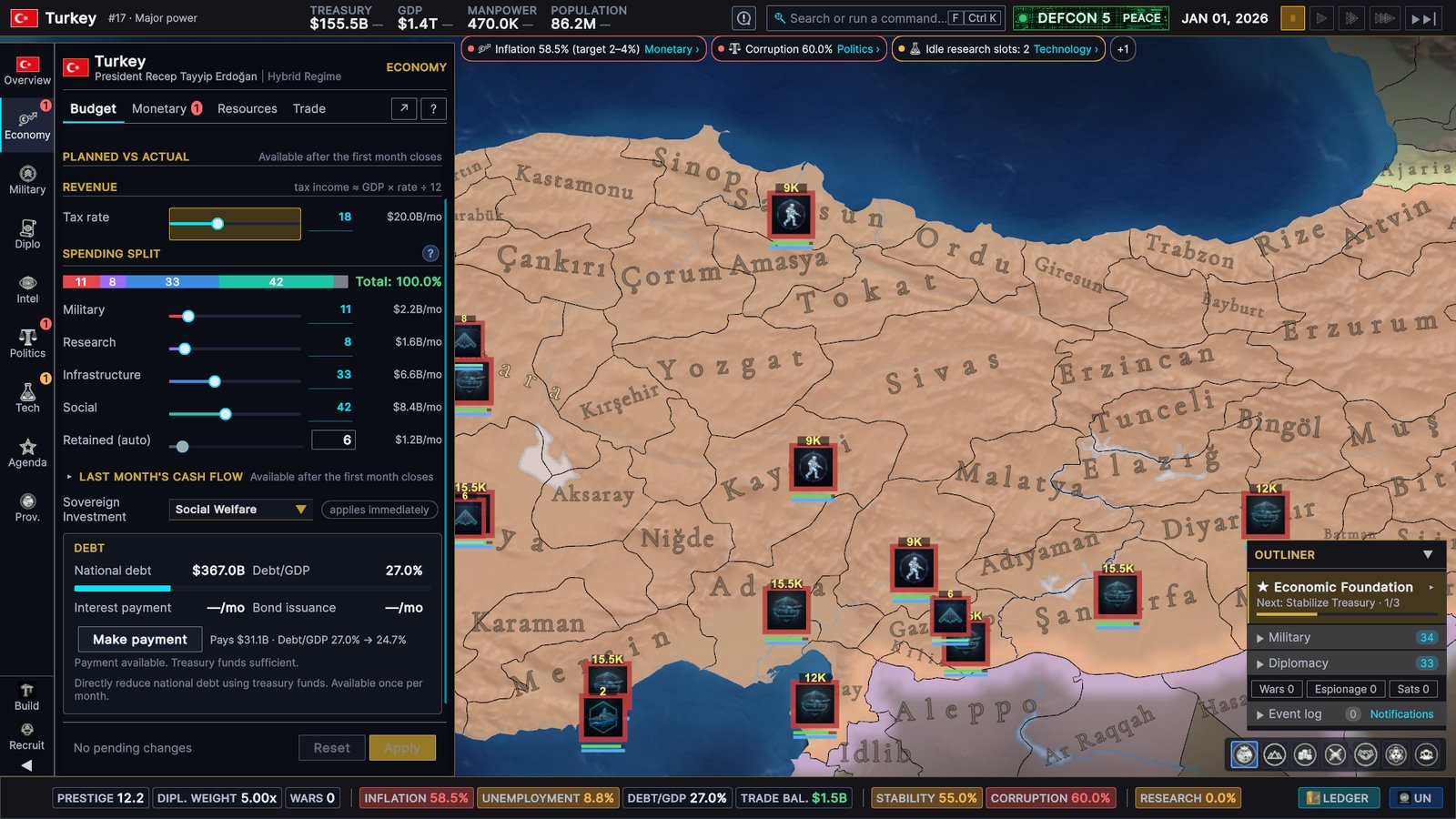
The new interface follows one simple rule: the left side is always your country, the right side is whatever you clicked. The map in the middle stays visible.
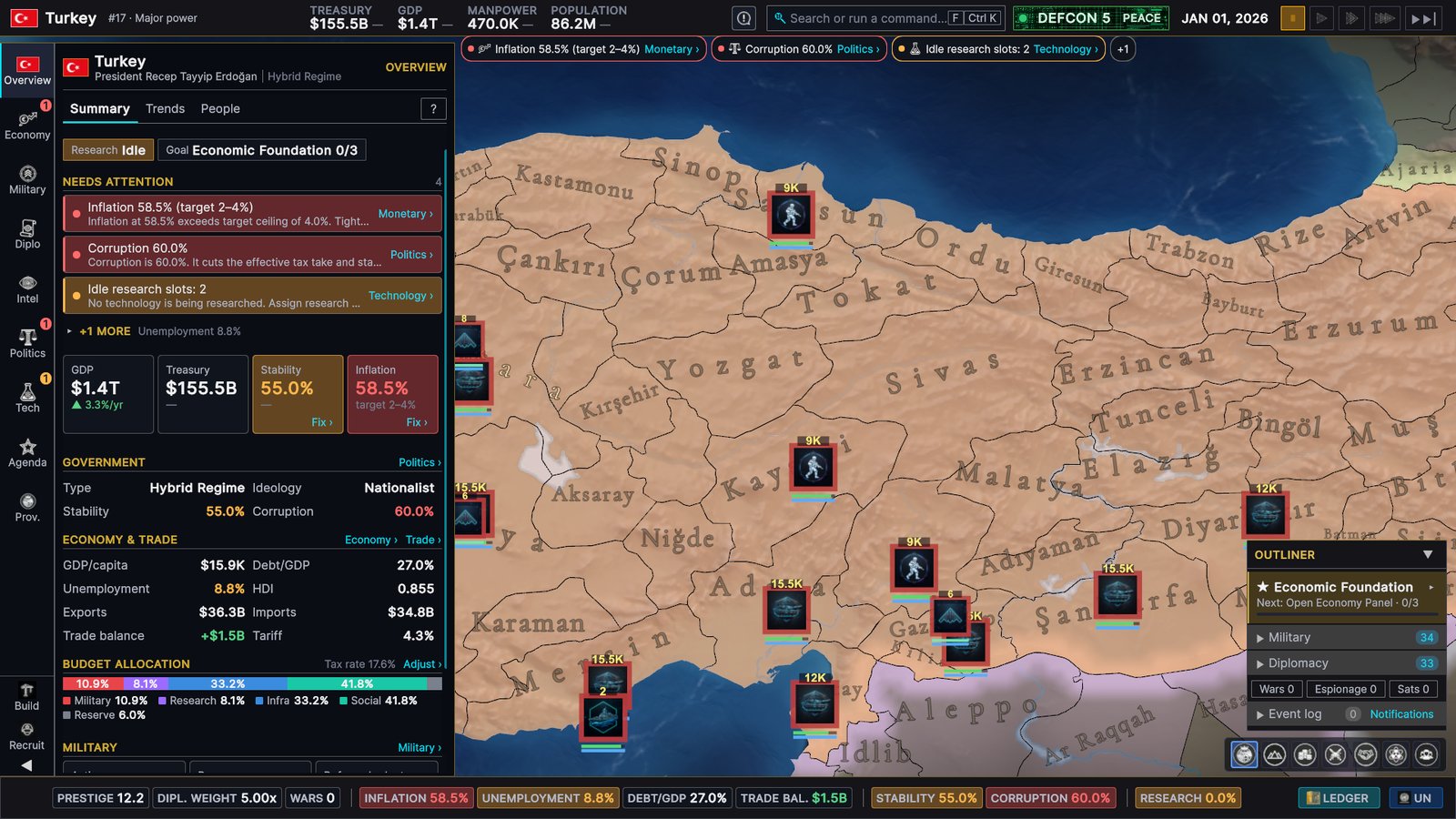
- A slim icon rail replaces the grid of twelve tab buttons. A badge marks the area that needs you.
- Every page shares one layout: a header, a row of sub-tabs, and solid, readable panels.
- The top bar shows treasury, GDP, manpower and population with their monthly change (from the end of your first month), your world rank, the date and the game speed.
- The status bar at the bottom keeps your national indicators in view — and each one takes you to the page that explains it.
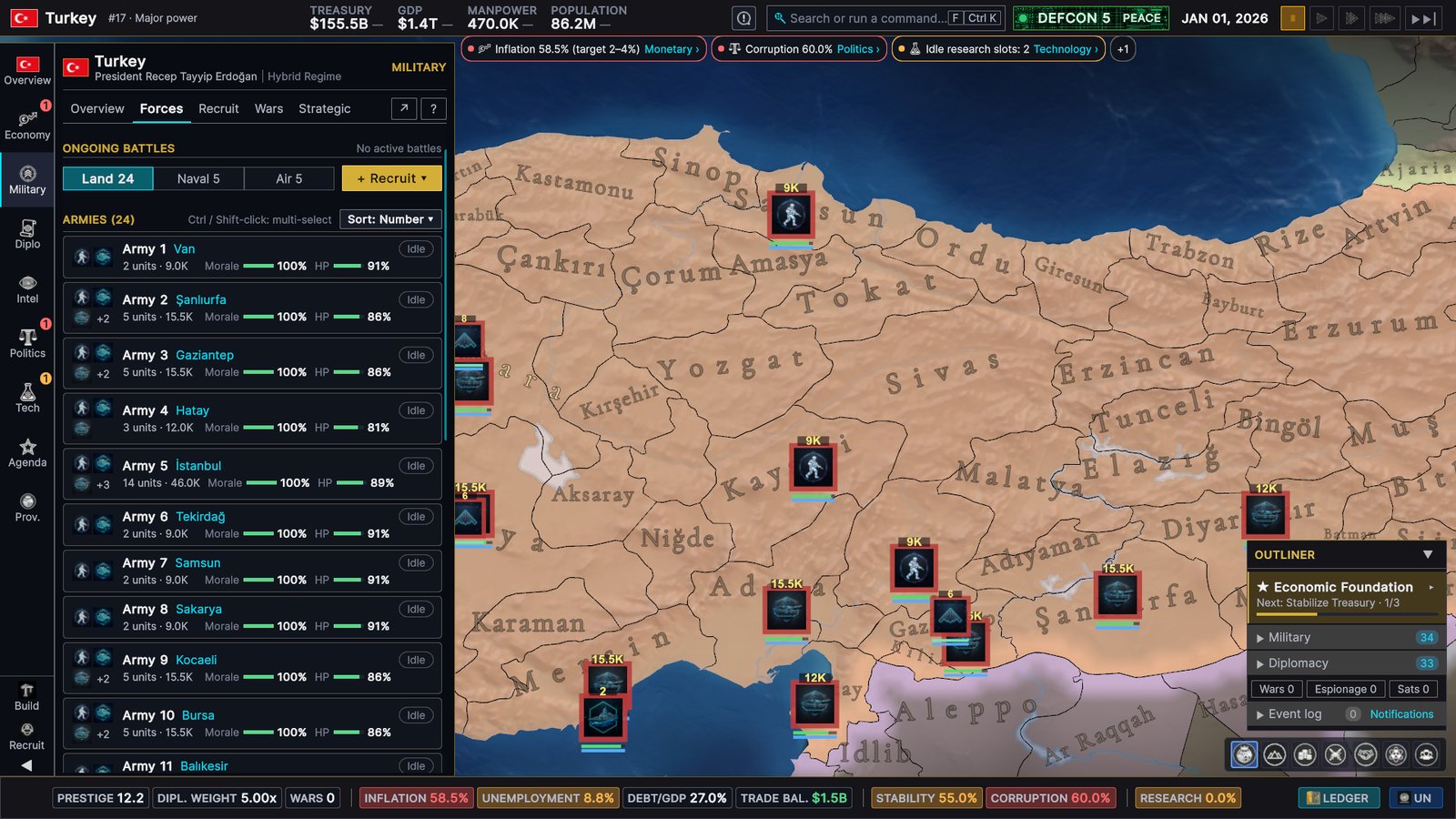
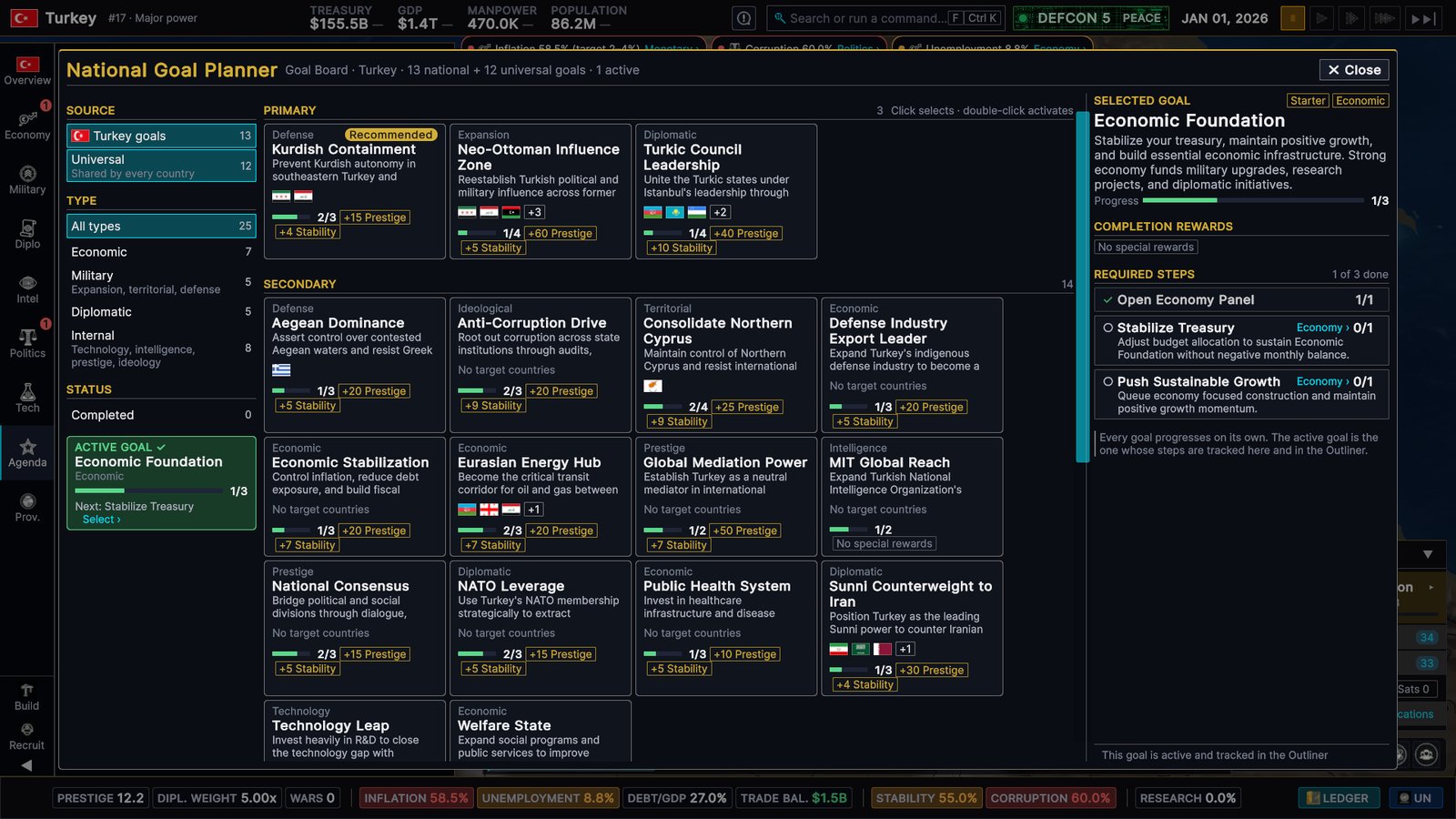
- The outliner in the corner shows your armies, your diplomacy and the next step of your active goal.
Problems come with a fix
The interface now tells you what is wrong — and takes you to the control that fixes it.
- Colour means something. Values are coloured by warning thresholds set for each metric, not just by plus or minus. Inflation is judged against your central bank’s target, so 58.5 % shows red. This already covers Overview, Economy, Politics, provinces and the status bar, with more pages to follow.
- Needs attention. Your Overview lists what’s wrong right now, and every item links to the page that deals with it. When a value is a problem, its tile shows a Fix › link of its own.
- The priority strip under the top bar says what needs attention, how much and what the target is — “Inflation 58.5% (target 2–4%) Monetary ›” — and takes you there.
Find anything
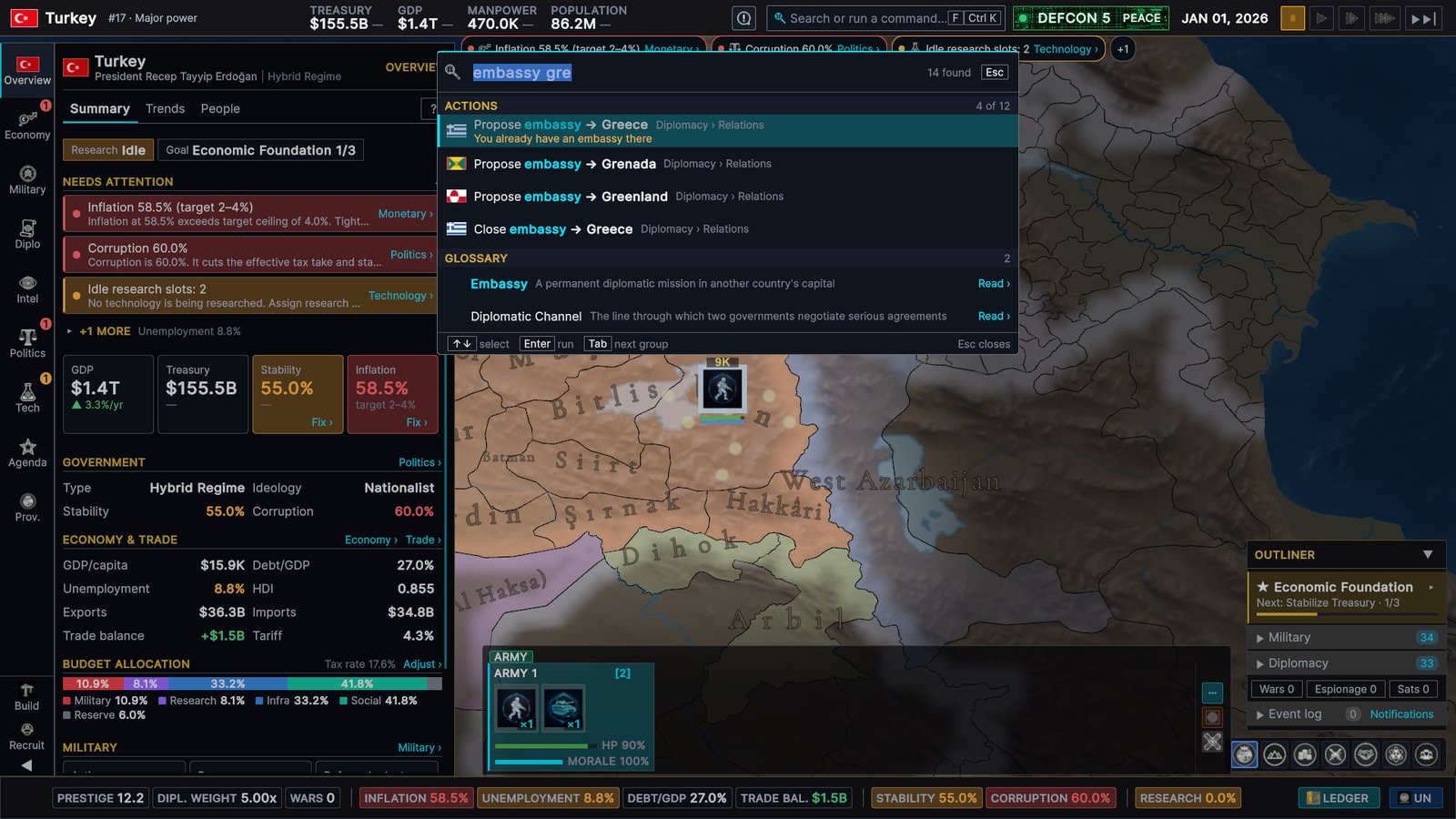
Click the search field in the top bar and type. The palette searches pages, values, countries, provinces, glossary entries and actions:
- A value shows up live, in its warning colour, and takes you to the page that owns it.
- A country or province moves the map to it.
- An action takes you to the right place to do it. Nothing changes your game without your own click: “embassy gre” offers Propose embassy → Greece (greyed out, with the reason, if you can’t), and Enter opens Greece’s card, where you confirm. Only pause, game speed and skip to next month run straight from the palette.
Click the map, keep the map
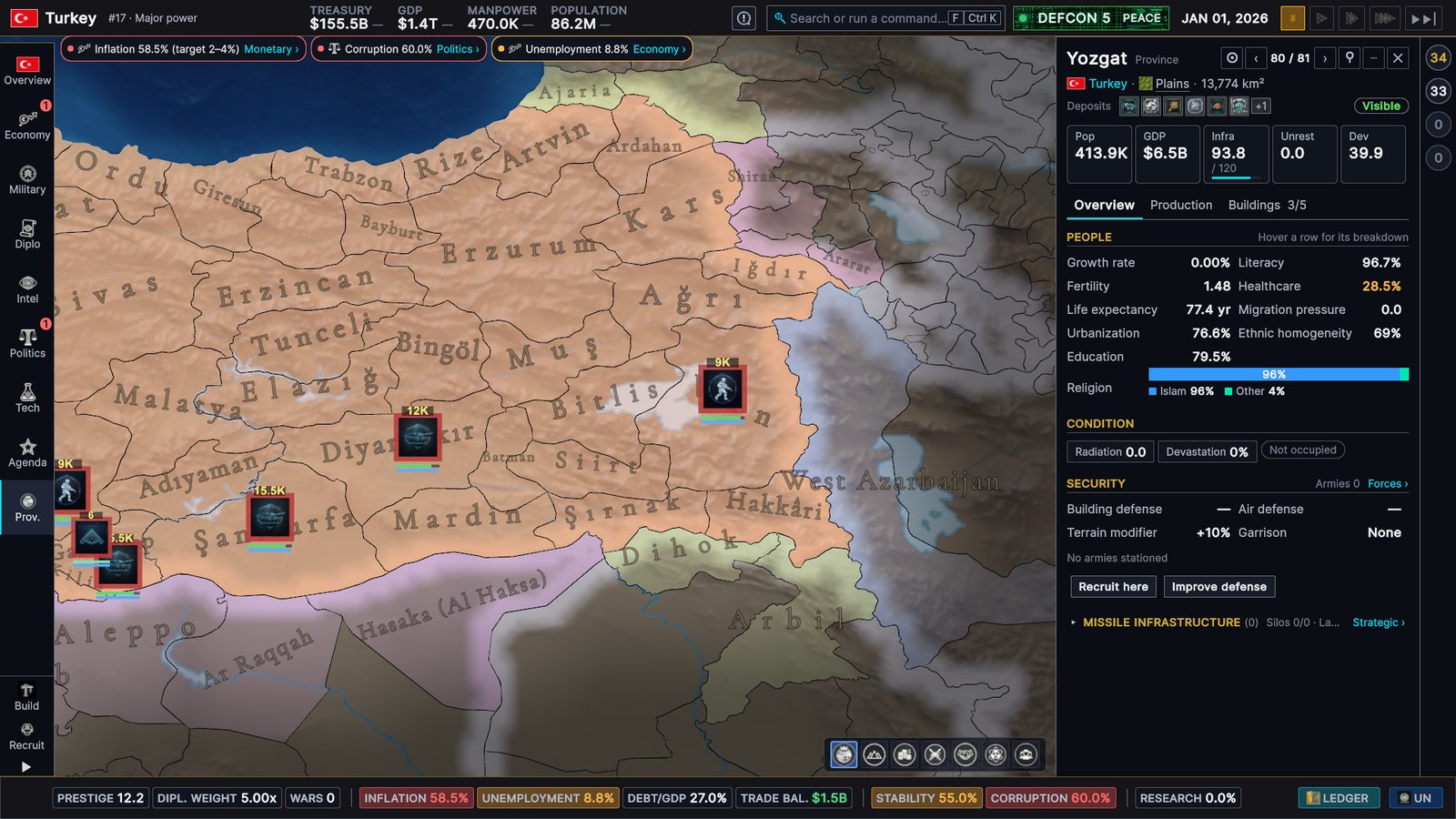
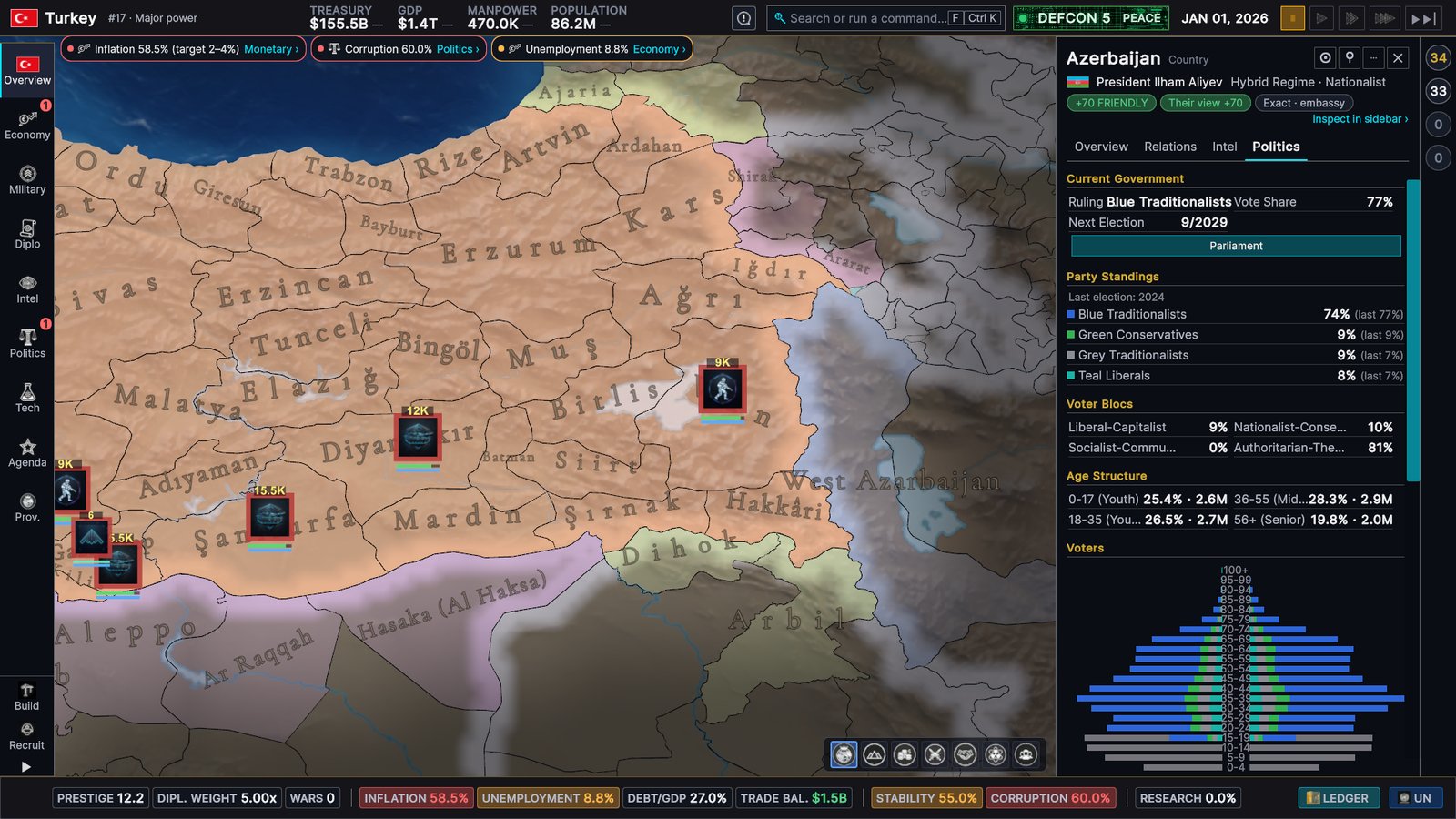
Provinces, other countries and wars now open in a dock on the right instead of a big window in the middle, so you can keep clicking around the map while you read.
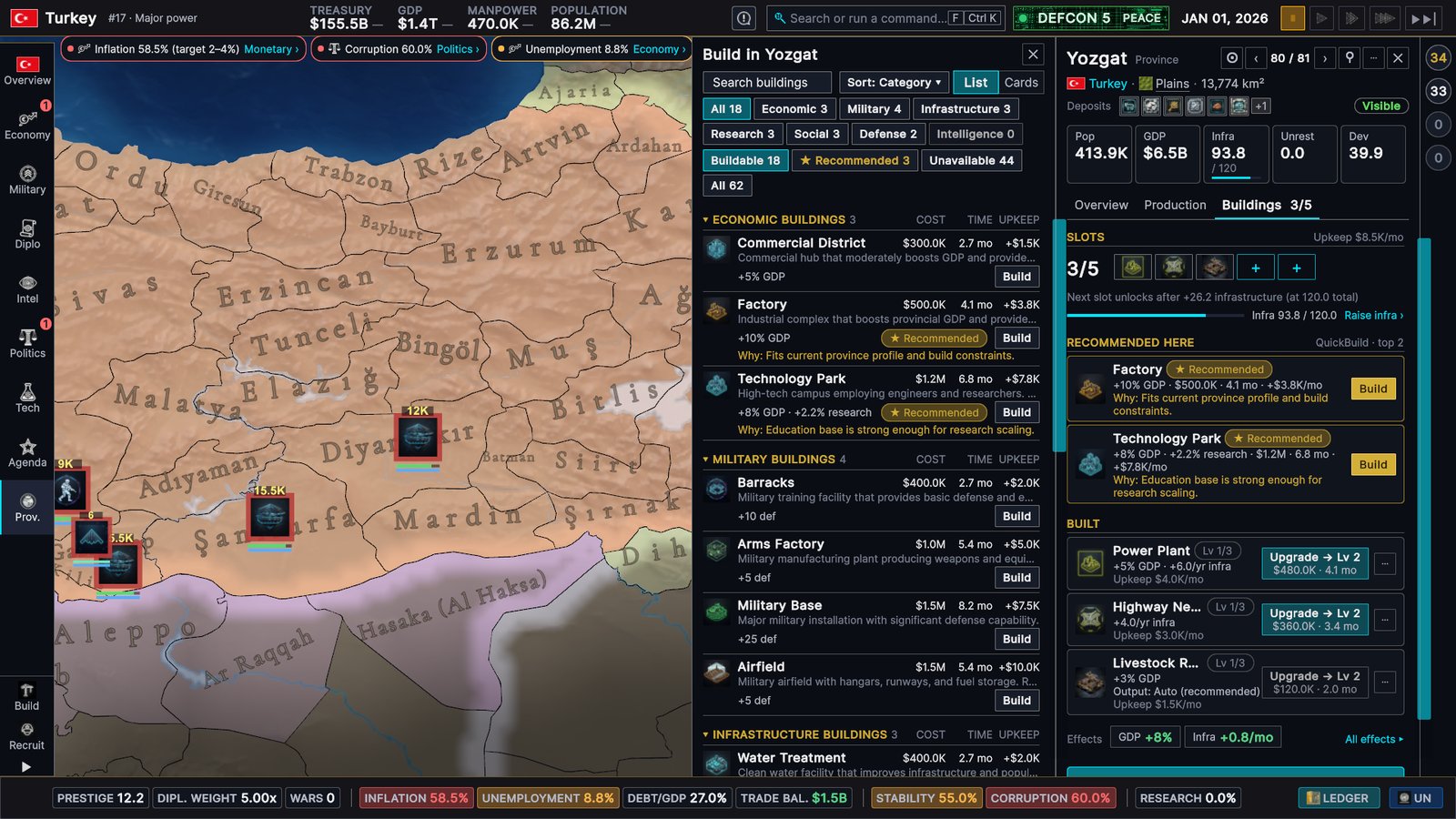
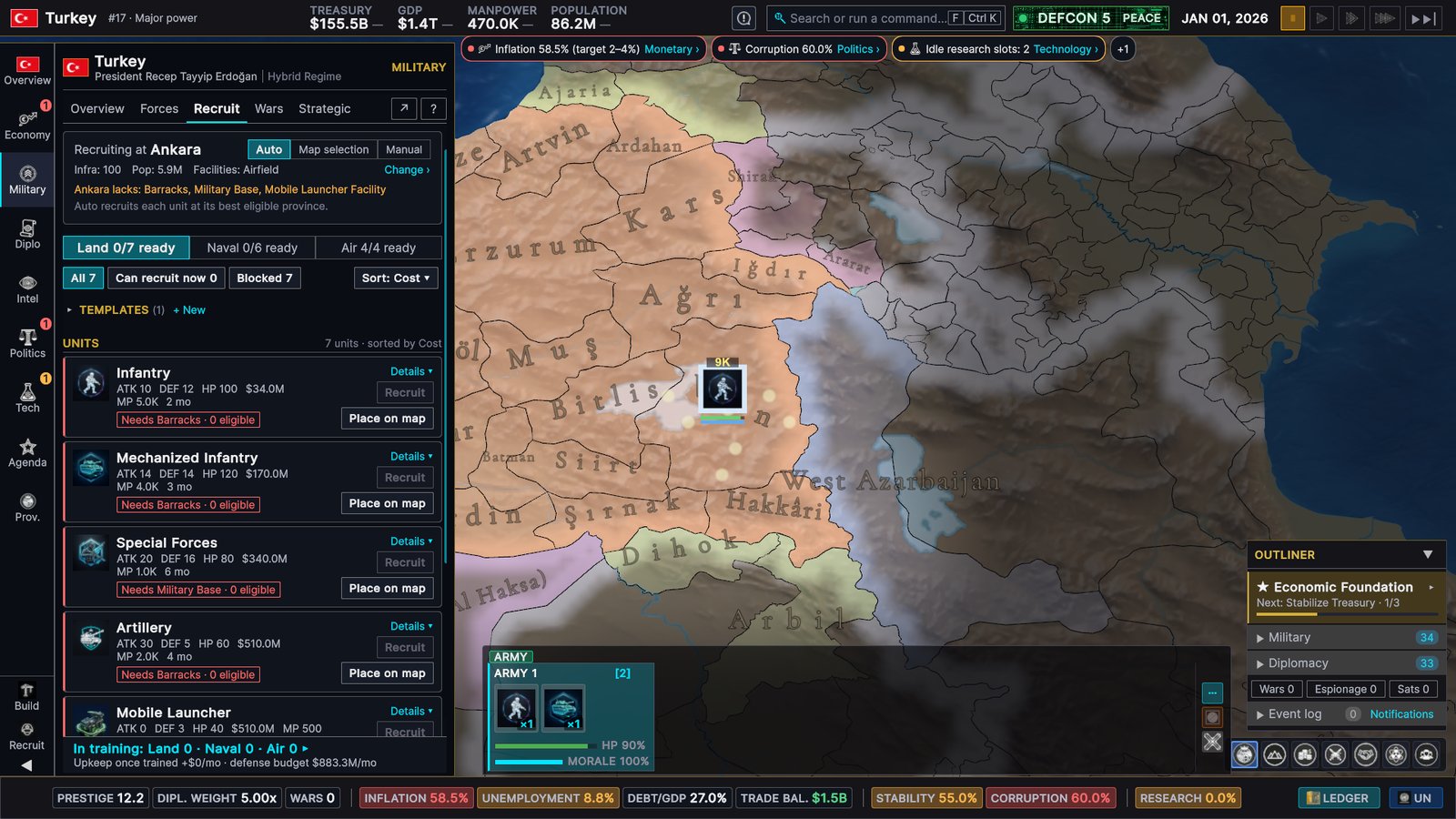
Building happens right next to it. The build picker lists everything you can build in that province, filtered by category, and marks the best options for this province with the reason why.
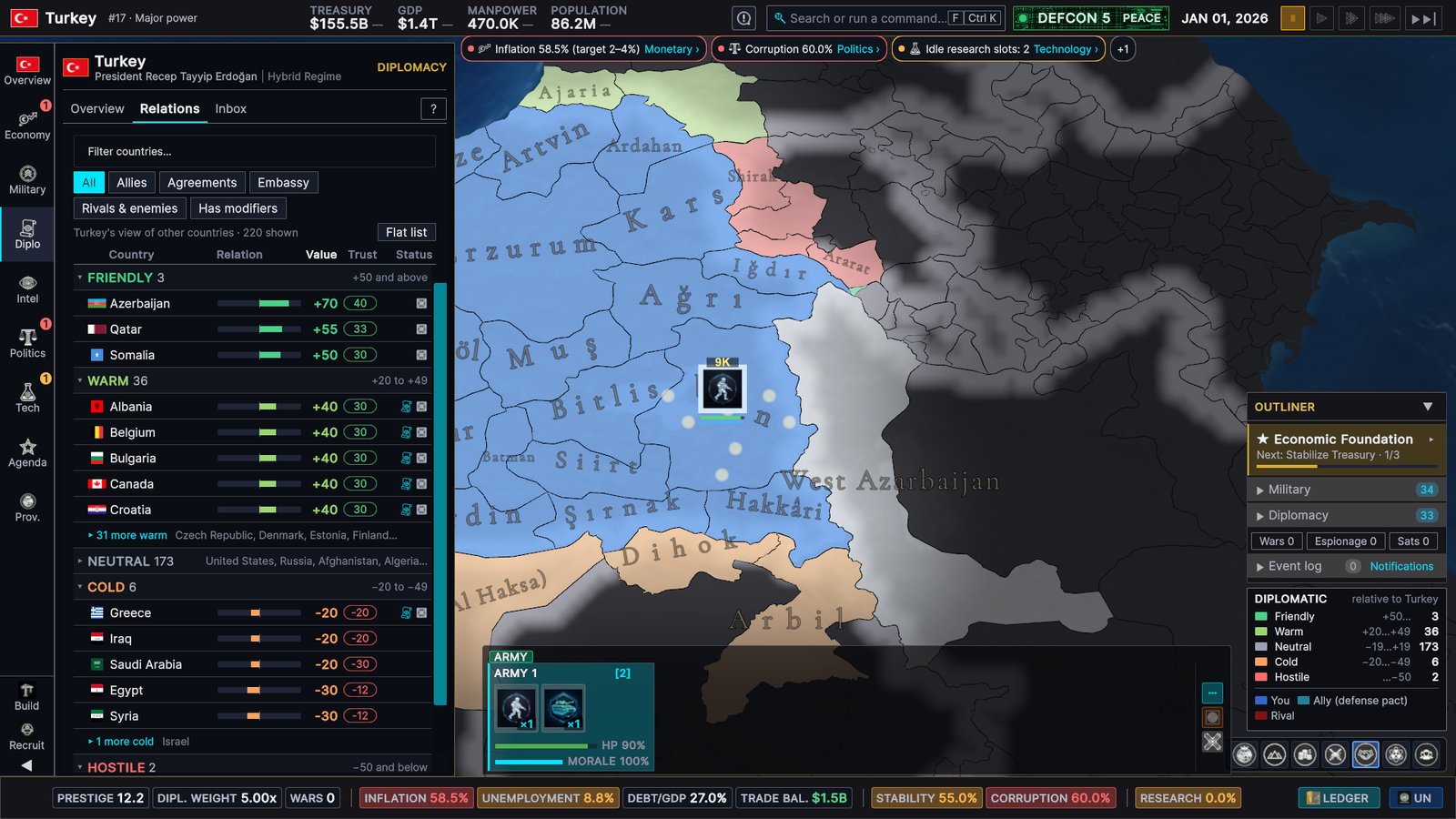
Click another country and its Country card opens on the right, without switching your sidebar away from your own country. Overview, relations, intelligence and politics are one tab away — and clicking the same country again opens the province you clicked.
A tour of the pages
Every area of the game got the same treatment. Here are some of the new pages.
Economy
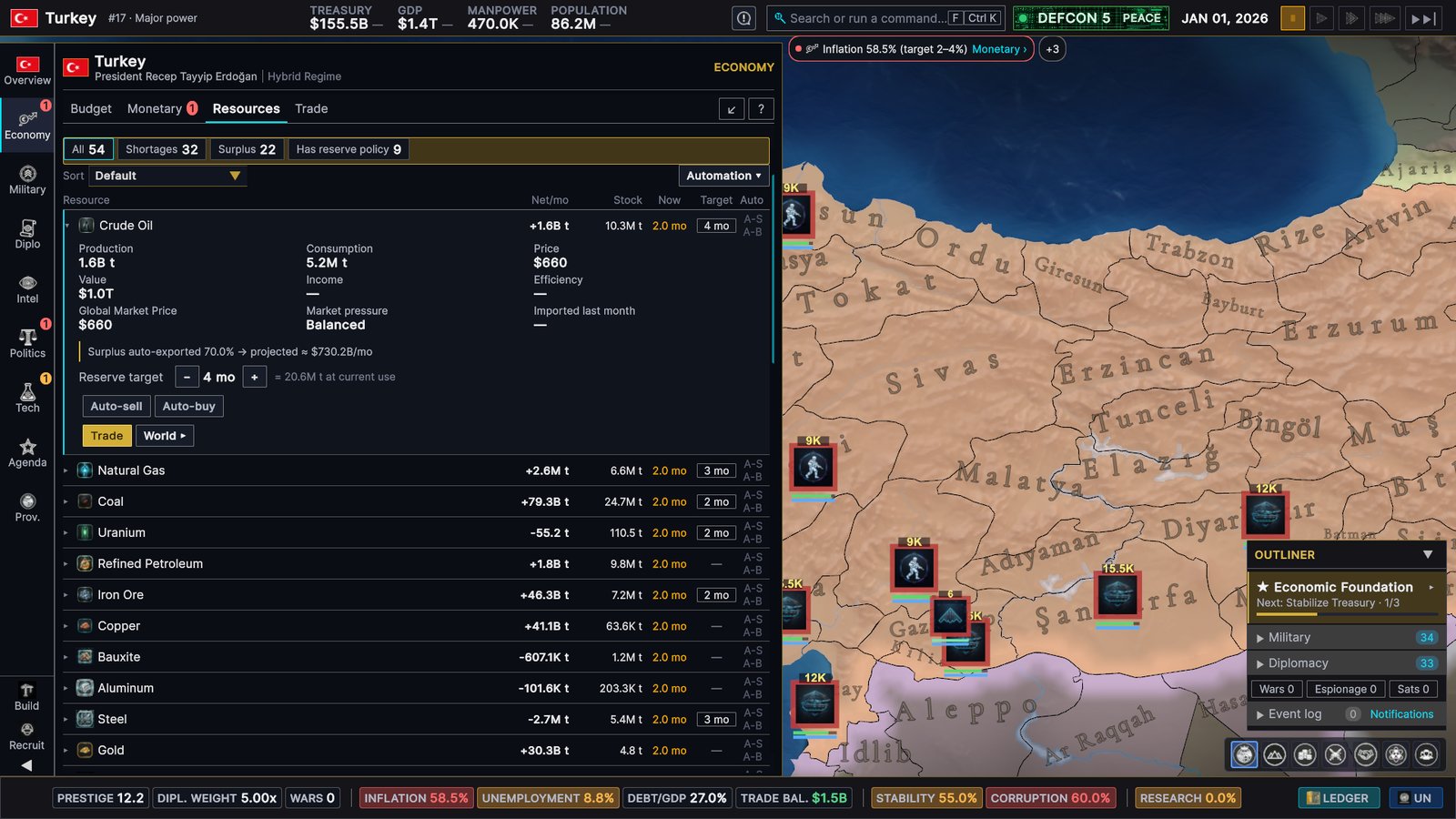
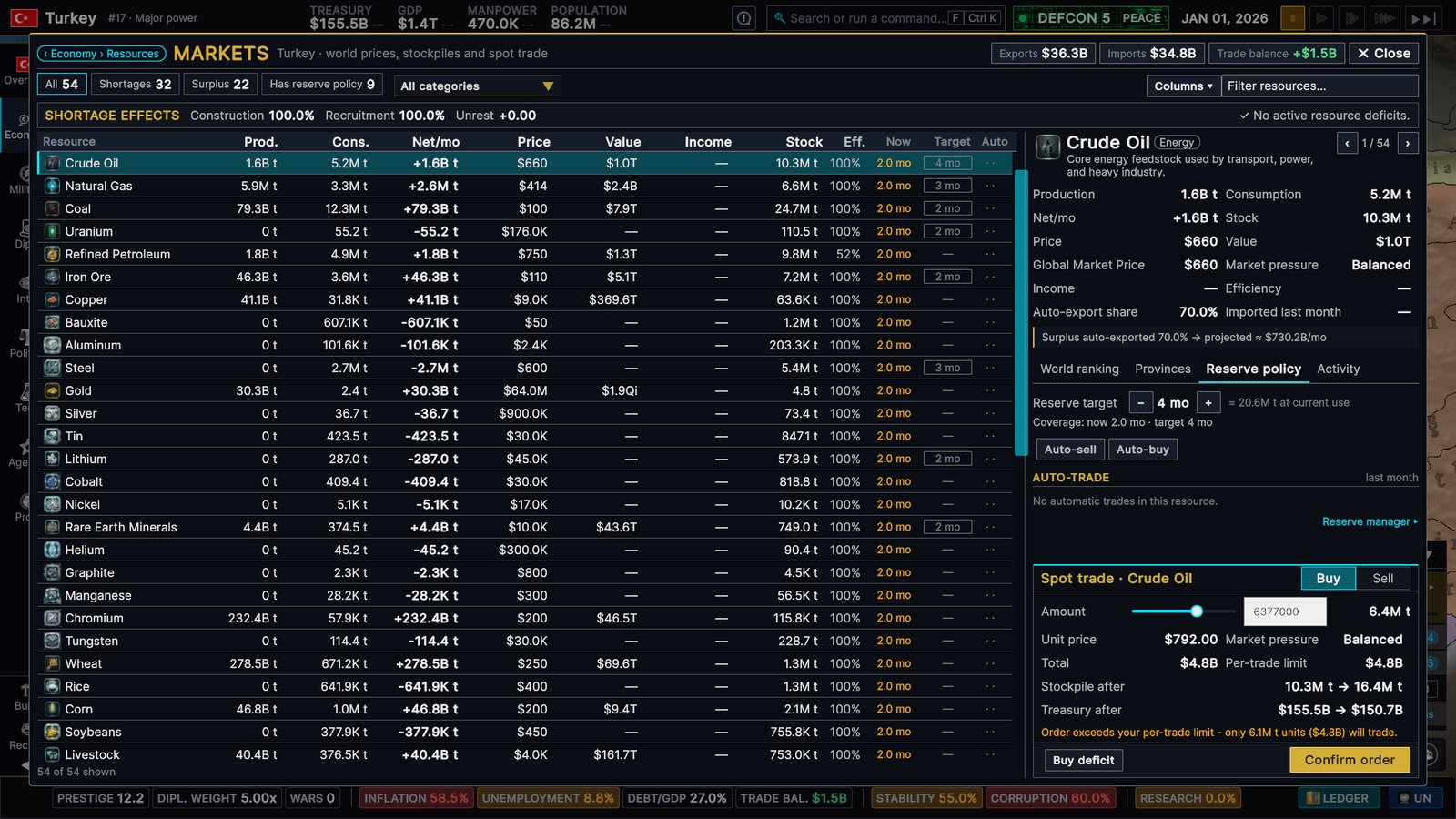
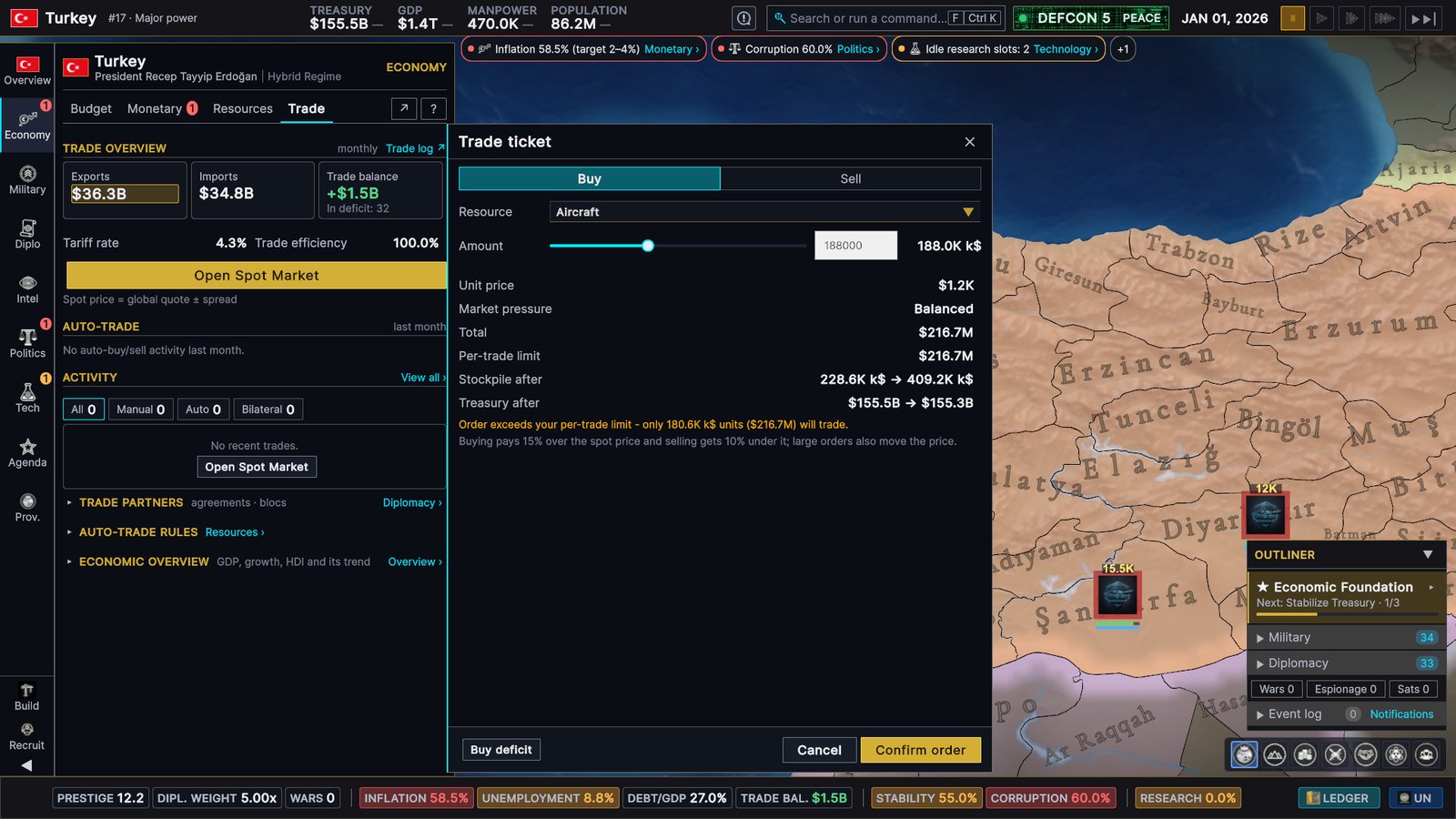
Markets is a full-screen workspace for trade: all 54 resources in one sortable table, with shortages and surpluses a click away, and everything about the selected resource on the right — its world ranking, your producing provinces, your reserve policy, recent activity and a trade ticket.
Military
Diplomacy
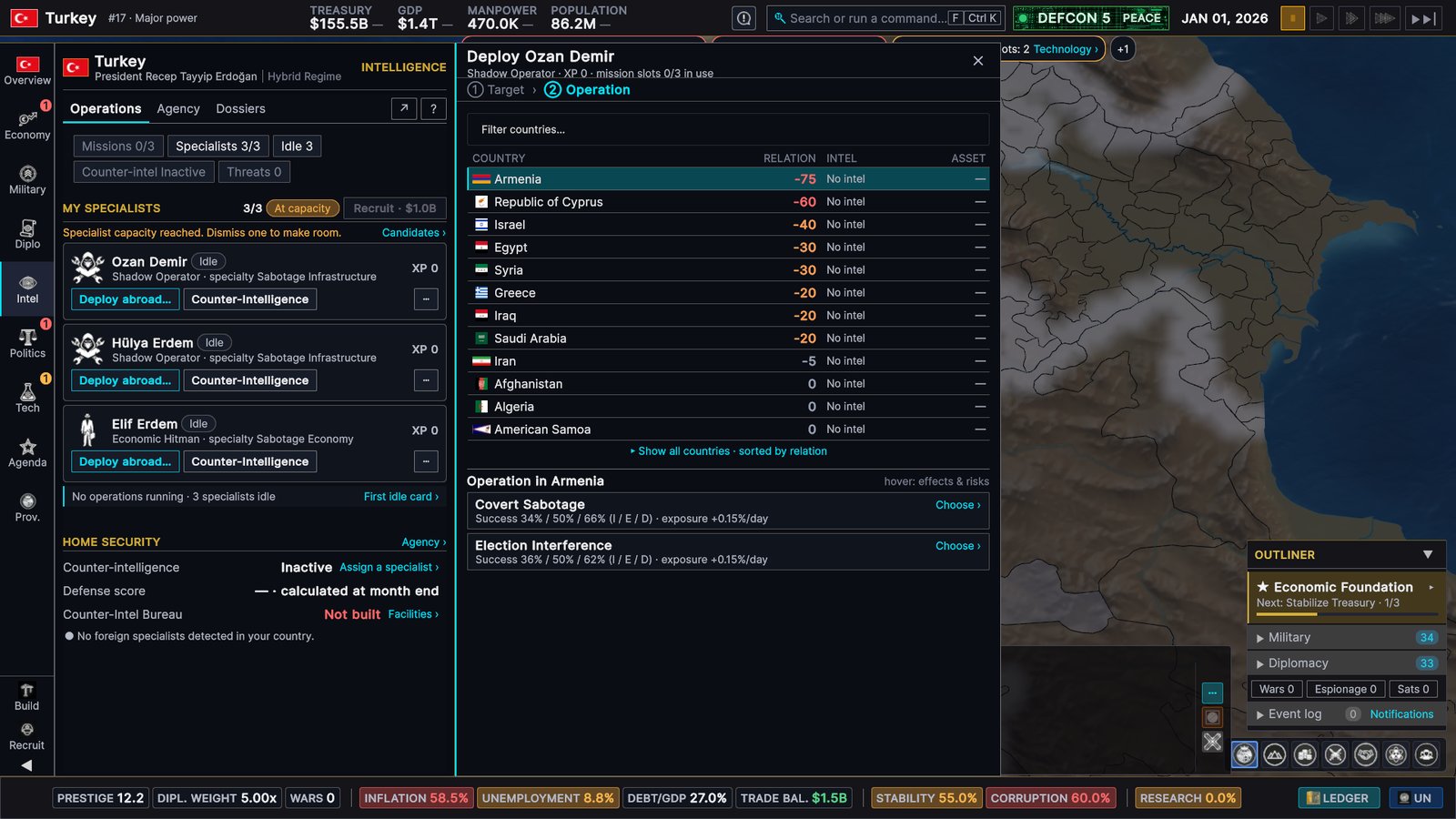
Intelligence
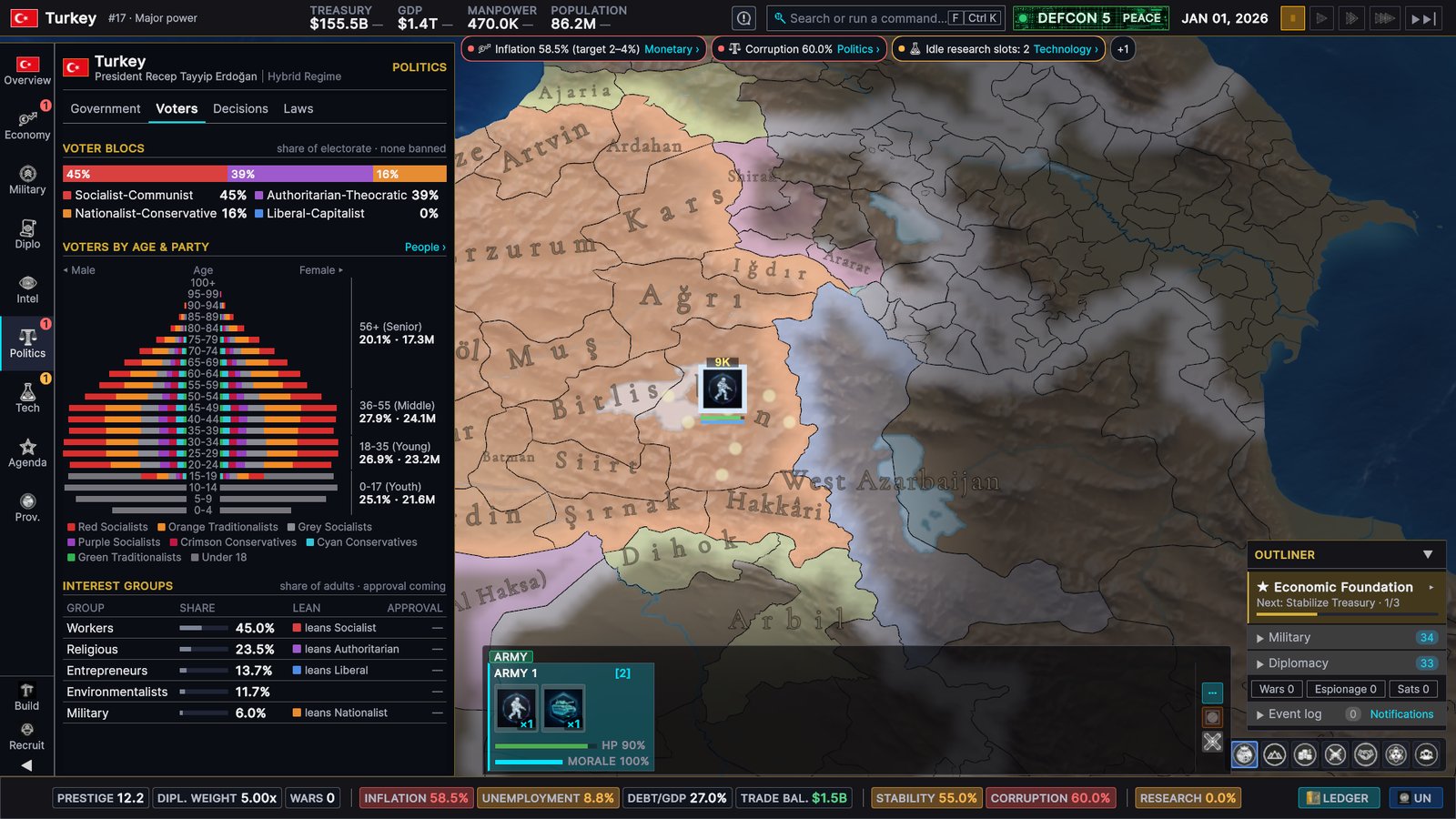
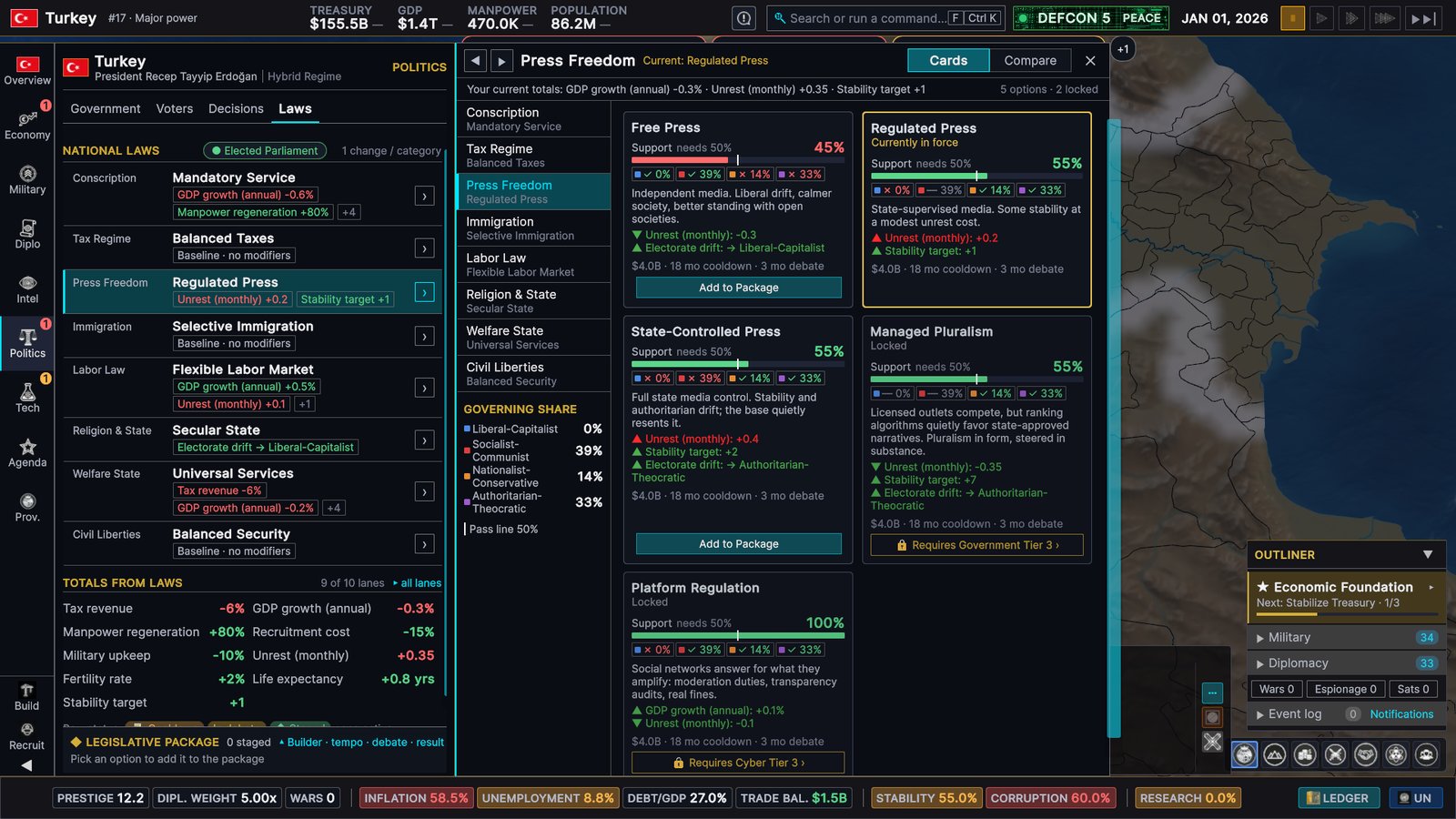
Politics
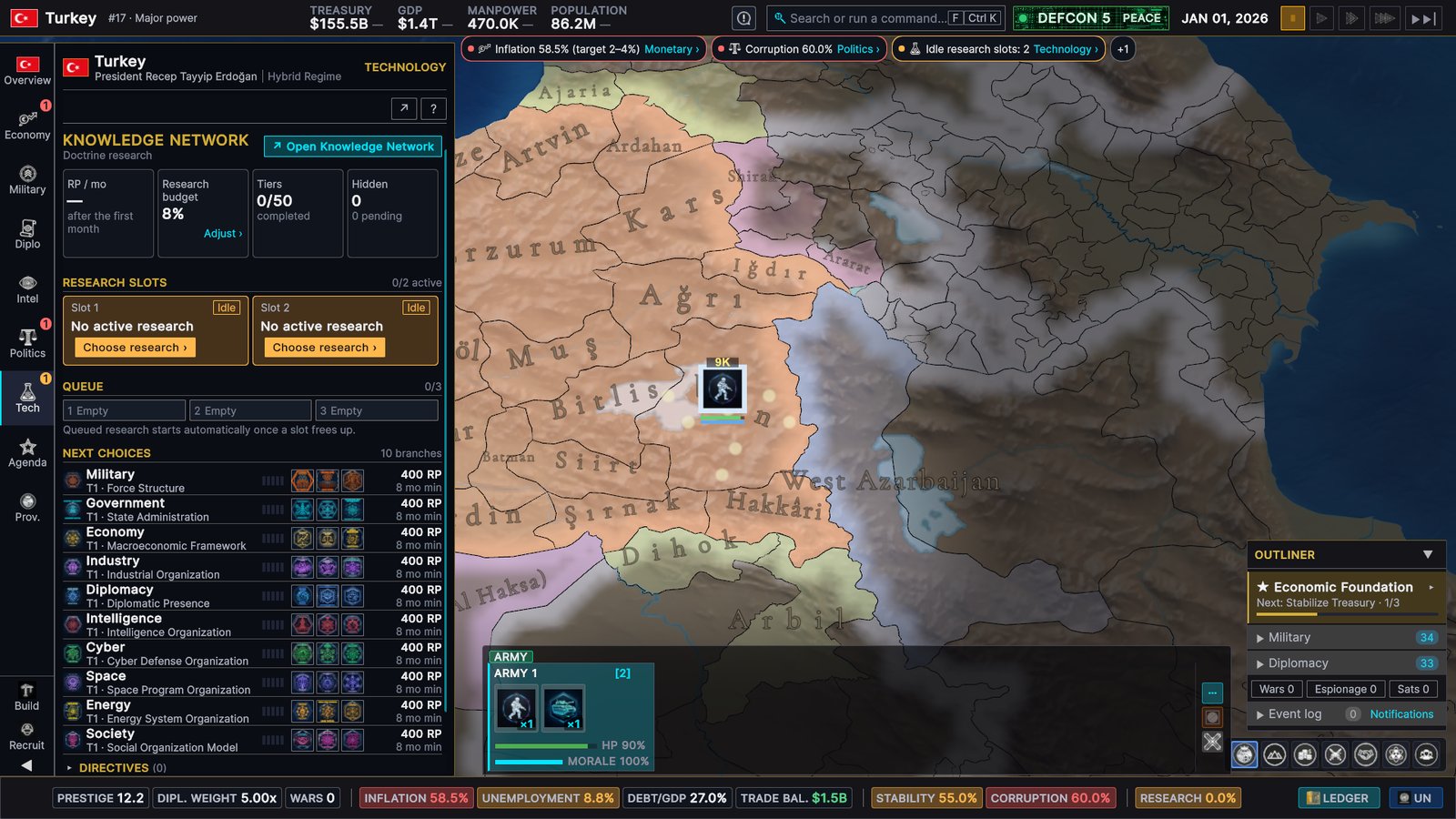
Research
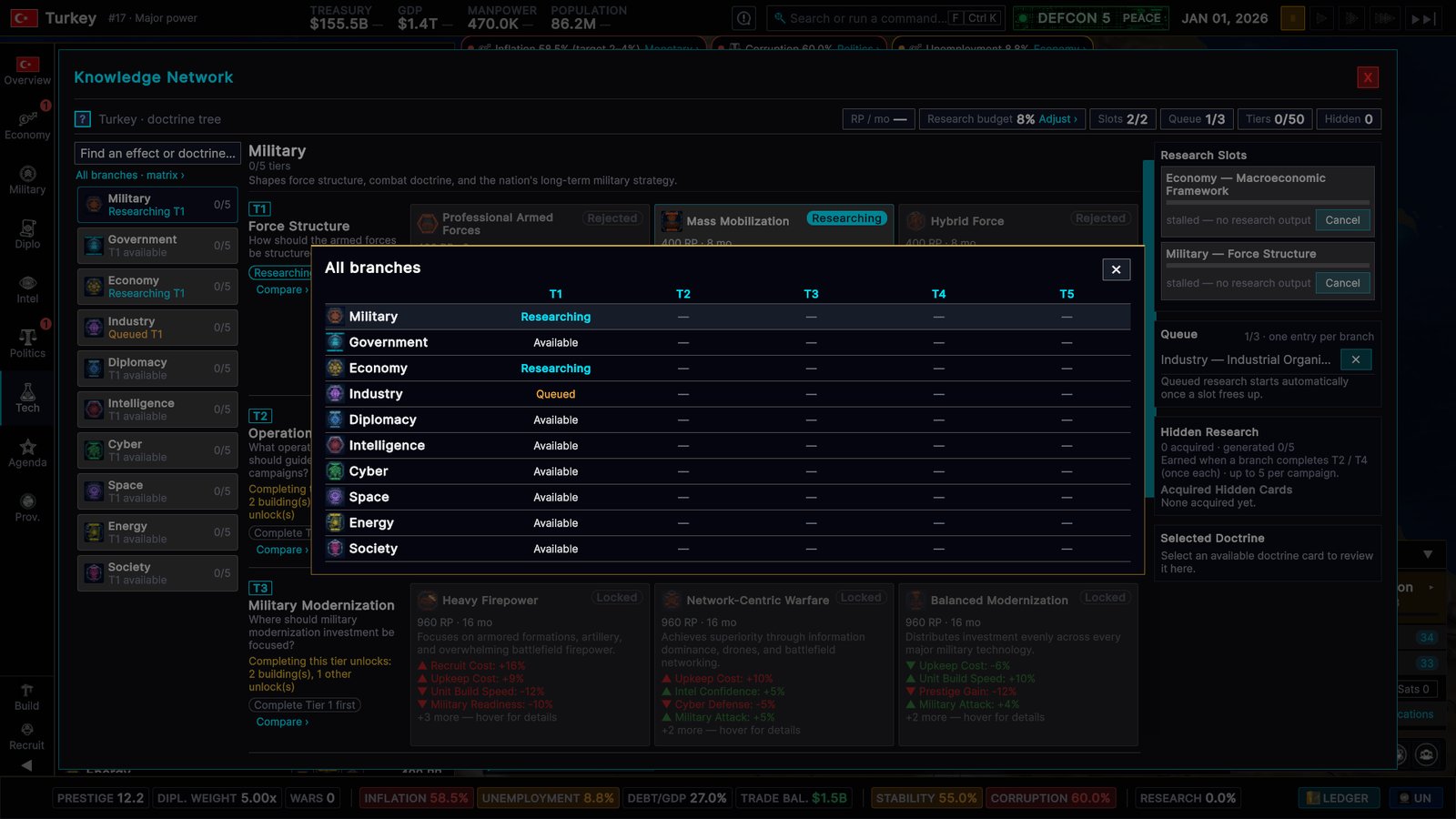
National goals
Fixed from your reports
Since our last update, your bug reports have kept us busy. These fixes come with the same update.
War and diplomacy
- Ultimatums have teeth. When an ultimatum is refused or ignored, the AI that sent it now goes to war instead of quietly dropping it — unless a truce, an alliance or its own war limit stops it. For 180 days, declaring war on the country that refused costs half the usual aggressive expansion.
- You can answer AI ultimatums. Accept or refuse from a pop-up or your diplomatic inbox. You have 21 days, and no answer counts as a refusal. Before, ultimatums sent to players never resolved.
- AI fleets go home. Idle AI fleets in foreign waters now sail home once their country is at peace, and fleets docked in a port that changes hands in a peace deal are undocked.
- AI buildup goals now measure the forces a country actually has, so they can be completed instead of driving endless recruitment.
Navies and air forces
- Damaged fleets repair: about 1 % of hull strength a day when docked beside one of your naval bases, slower at your other ports, not at sea. Repairs start 30 days after the last hit, and idle fleets recover morale.
- Stacks lose ships gradually. Naval battles, air strikes and missile strikes now sink ships in proportion to the damage dealt, instead of a whole stack vanishing on one hit.
- New ships start docked in the port that built them, and ordering a fleet to dock at a coastal province next to the sea zone it’s already in now works.
- Airfields hold more: 2, 3 and 4 air wings at levels 1, 2 and 3 (was 1, 1 and 2). A full airfield tells you so on the recruit row.
Economy
- Reserve auto-buy now buys enough to cover a resource’s monthly shortfall, so stockpiles rise toward their target instead of shrinking while you keep paying.
- Industrial inputs are no longer taken from your stockpile twice each month.
- Processed goods need their inputs. Provinces whose main output is a processed good, such as steel or refined fuel, now produce only as much as their country’s input supply allows. Without the processing building, they produce a tenth of their normal output.
- Trade agreements now deliver goods out of the seller’s stockpile, limited to what it holds, instead of from nowhere.
- A country that loses all its territory now drops to zero GDP.
Espionage and controls
- Request Intelligence on a foreign province now works when you have an eligible specialist deployed. Before, it was always greyed out.
- Espionage buttons, including Fund Opposition, are disabled while that operation is on cooldown and show the time left, instead of failing when clicked.
- Shift and Right Ctrl now add to your selection, like Left Ctrl already did, when you click or drag-select armies, fleets and air wings.
- Zoomed out, the province tooltip now names the current owner after a province changes hands.
And many more changes
- Stability no longer settles at 100. Each country’s stability now moves gradually toward its own target: raised by social spending, laws and doctrines, lowered by inflation, unemployment, unrest, war exhaustion and heavy debt. The stability tooltip shows the breakdown.
- The global oil shock now hits the world once, instead of once per country.
- Generic story events now come up for players about as often as for AI countries — a little less often than before.
- Saves and multiplayer resyncs keep AI war plans, fleet docking orders and auto-buy pauses, and the multiplayer desync check covers more of the world.
- If a multiplayer player drops, most diplomatic requests in their inbox are resolved the way the AI would when they expire.
- For modders: new event effects (
create_unit,annex_province,annex_country); thehas_tech,province_stat_gtanddefcon_levelconditions now check real game state; immediate events are no longer held back by other events’ cooldowns, and global events roll once per world. Mods can ship their own event pictures, and the Mod Builder has a Validate Mod button — the same check runs before every Workshop upload, which now uploads a clean copy of your mod. - Scenario and total-conversion mods: re-skinned countries are playable under their own name, declared populations reach their provinces, removed countries lose their starting forces, starting tech levels apply, and GDP overrides re-base budgets and trade.
- Thousands of translation fixes across all 12 non-English languages — labels, tooltips, help text and sea names — and Portuguese (Portugal) now uses proper European Portuguese.
What’s next
We’re still in Early Access, and your feedback decides what comes next — this whole interface started with it. Our development roadmap is public: see what we’re working on at our roadmap page.
Thank you
Thank you for every review, bug report, screenshot and long message. They shaped this update more than anything we could have planned on our own. If you’re enjoying the game, a Steam review helps a small team like ours more than you know.
See you on the world stage.
— Ozan Kanık, founder, Dorlion Interactive